mmWave Zigbee: The Future of Wireless Presence Detection for Smart Buildings
Learn how mmWave Zigbee sensors work, their benefits for hotel and office presence detection, and why this wireless protocol is the industry standard for commercial deployments.
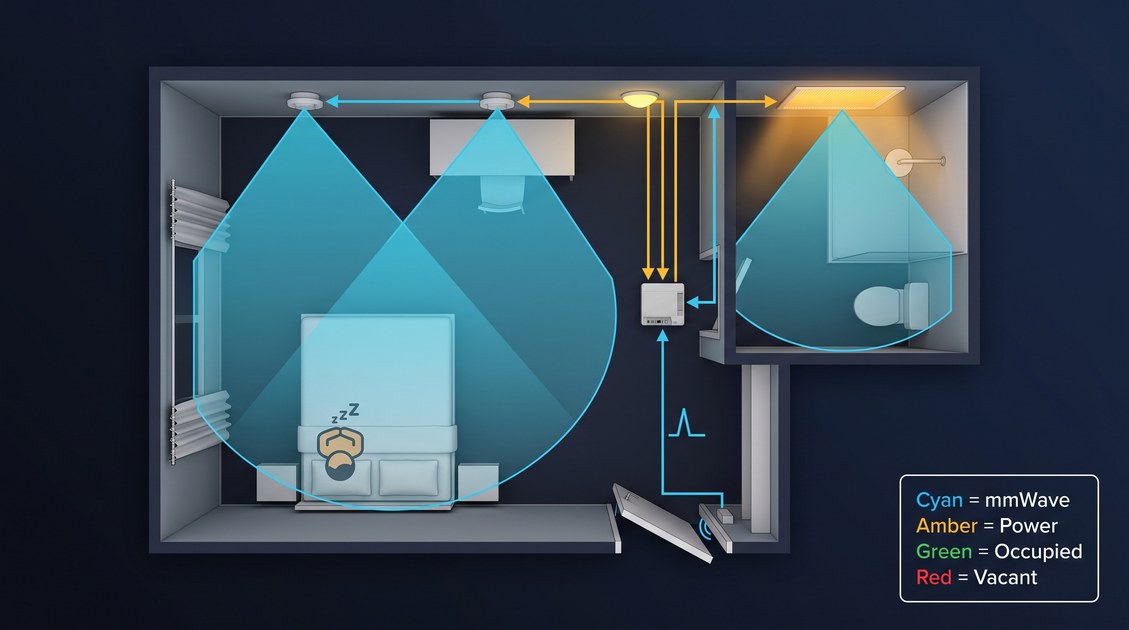
An mmWave Zigbee presence sensor combines the micro-motion sensitivity of 60 GHz millimeter-wave radar with the low-power mesh networking of the Zigbee 3.0 protocol to create a wireless occupancy detection system that can scale across hundreds of rooms without requiring new cabling. The mmWave radar component, operating in the 57–64 GHz ISM band with 7 GHz of bandwidth, detects both moving and stationary human occupants through breathing and micro-motion at ranges of 6–8 meters, achieving a stationary-occupant true positive rate above 99% in controlled testing. The Zigbee 3.0 radio, operating in the 2.4 GHz ISM band with a theoretical data rate of 250 kbps and an actual effective throughput of 20–40 kbps for occupancy event transmission, carries the occupancy state from the sensor to a Zigbee coordinator (typically a gateway or a building management system hub) via a self-healing mesh network where each sensor can route messages through its neighbors, extending the effective range and providing redundancy against single-node failures. The combination of these two technologies in a single device — radar for detection, Zigbee for communication — has become the default architecture for hotel room presence sensors, office deployment zone sensors, and healthcare facility occupancy monitors because it delivers the accuracy of wired mmWave sensors with the installation flexibility of wireless.
Understanding why mmWave Zigbee has emerged as the dominant wireless protocol for commercial presence detection requires looking at the alternatives and understanding the specific deployment constraints of hotel, office, and healthcare environments. A wired mmWave sensor, connected via Ethernet or RS-485, provides the same detection accuracy but requires cabling runs through finished walls and ceilings, which is disruptive to existing hotel properties and often prohibitive in retrofit office deployments. A WiFi-based mmWave sensor, while avoiding cabling, has higher power consumption (typically 2–3× the standby power of a Zigbee sensor) and requires comprehensive WiFi coverage, which is not guaranteed in every building. A Bluetooth-based mmWave sensor, while also low-power, typically requires a dedicated gateway and does not provide a native mesh network, which limits its scalability for large deployments. Zigbee, by contrast, was designed from the outset as a low-power, low-data-rate, mesh-networking protocol specifically for building automation, and it is now the native protocol of the major hotel building management systems, office building management systems, and many residential smart home platforms. An mmWave Zigbee sensor can be deployed by hotel engineering teams in a single day per hundred rooms, with the Zigbee mesh automatically extending to cover gaps in coverage, and can be powered by mains or by a long-life battery in some implementations.
mmWave Zigbee: How the Radar and Radio Work Together
The architecture of an mmWave Zigbee sensor is more than simply gluing a radar module onto a Zigbee radio — the two subsystems must be designed together to balance power consumption, detection latency, and network reliability. The mmWave radar transceiver, typically a 60 GHz FMCW (frequency-modulated continuous wave) device with a 2×2 or 3×3 MIMO antenna array, consumes approximately 0.5–1.0 W when active and performs the computationally intensive task of extracting the breathing micro-Doppler signature from the radar return. The Zigbee radio, based on a 2.4 GHz IEEE 802.15.4 transceiver, consumes approximately 0.02–0.05 W when transmitting and a few microwatts when sleeping in standby. The device must decide when to power on the radar, when to process the radar data, and when to transmit an occupancy state change over Zigbee, and these decisions determine the overall power consumption and battery life (if battery-powered) of the device.
mmWave Zigbee: Duty Cycling and Power Management
A key design challenge for an mmWave Zigbee sensor, particularly in battery-powered implementations, is duty cycling the radar. The radar cannot run continuously at full power if the device is expected to run for years on a battery, because 1 W of continuous radar consumption would deplete a typical AA cell in weeks. The solution used in most commercial mmWave Zigbee sensors is a duty cycle that balances power consumption with detection latency: the radar wakes up for a short burst (typically 50–200 milliseconds) every 1–5 seconds, performs a rapid presence check, and then returns to sleep. The Zigbee radio remains in standby (listening for incoming messages from the coordinator) most of the time and only wakes up to transmit when the occupancy state has changed from occupied to empty or vice versa. In a mains-powered deployment, the duty cycle can be more aggressive (radar wakes every 0.5–1 second) to reduce detection latency, but in battery-powered deployments the radar typically wakes every 2–3 seconds, resulting in a detection latency of 1–2 seconds, which is acceptable for most hotel and office applications.
The specific duty cycle parameters — radar wake interval, radar burst duration, and Zigbee transmission interval — are configurable in most commercial mmWave Zigbee sensors, allowing the deployment team to trade off battery life for detection latency. A typical hotel room deployment might configure the sensor with a 2-second radar wake interval, achieving a battery life of 12–18 months on a CR123A cell, while a critical care hospital room might configure the sensor with a 0.5-second wake interval (mains-powered) to minimize fall-detection latency.
mmWave Zigbee: Network Topology and Mesh Behavior
The Zigbee 3.0 protocol supports three network topologies: star, tree, and mesh. In a star topology, every mmWave Zigbee sensor communicates directly with the coordinator, which simplifies the network but limits the range (typically 10–30 m indoors) and provides no redundancy. In a mesh topology, every mmWave Zigbee sensor can route messages through its neighbors, extending the effective range, filling coverage gaps, and providing redundancy if a single sensor fails. Mesh is the default topology for most commercial mmWave Zigbee deployments because it is more resilient and more scalable.
The mesh behavior of an mmWave Zigbee network is determined by the Zigbee routing protocol, which is based on AODV (Ad hoc On-Demand Distance Vector). When an mmWave Zigbee sensor has an occupancy event to report, it attempts to route the message to the coordinator via the shortest available path, using neighbor sensors as intermediate routers. If the preferred path fails (because a neighbor sensor is offline or out of range), the sensor automatically discovers an alternate path, providing self-healing capability. This mesh behavior is particularly valuable in hotel deployments where mmWave Zigbee sensors are installed in every room and a single failed sensor should not disrupt the occupancy data for adjacent rooms.
mmWave Zigbee: Network Capacity and Latency
A practical concern in large mmWave Zigbee deployments is network capacity and latency. Each mmWave Zigbee sensor, when it transmits an occupancy event, occupies a small amount of airtime on the 2.4 GHz channel. If hundreds of sensors attempt to transmit simultaneously during a building-wide event (such as a shift change in an office building), the network can become congested and messages can be delayed or dropped. The Zigbee 3.0 protocol includes several mechanisms to manage this: transmission scheduling, message priority, and automatic backoff. In a well-designed mmWave Zigbee deployment, the network should be configured with enough Zigbee coordinators (typically 1 coordinator per 50–100 sensors) and enough available 2.4 GHz channels (Zigbee 3.0 supports 16 channels, with 11, 15, 20, 25 being commonly used to avoid WiFi interference) to handle peak event rates.
The latency from occupancy event to coordinator receipt in a typical mmWave Zigbee deployment is between 0.5 and 3 seconds, depending on the network load and the number of hops between the sensor and the coordinator. This latency is acceptable for most energy management and housekeeping coordination applications, but may be too slow for security applications where sub-100 ms detection is required. For security applications, an mmWave sensor with a wired Ethernet connection or a WiFi-based mmWave sensor is generally preferred over Zigbee.
mmWave Zigbee: Why It Has Become the Default for Hotel Deployments
The hospitality industry is the single largest deployment vertical for mmWave Zigbee sensors, and the reasons are specific to the operational and economic constraints of hotel properties. A typical midscale or upscale hotel has 100–500 rooms, and installing any new technology in every room requires a compelling business case. An mmWave Zigbee sensor in each hotel room can improve guest satisfaction (by preventing lights from cycling off while reading, by preventing HVAC from going into setback mode while sleeping), reduce energy consumption (by keeping HVAC in comfort mode only when the room is actually occupied), and improve housekeeping efficiency (by providing real-time occupancy data so rooms are not entered unnecessarily). The Zigbee wireless protocol is the enabler that makes this deployment economically viable.
mmWave Zigbee: Installation Without Disrupting Guests
The primary reason mmWave Zigbee is preferred in hotels over wired sensors is installation without guest disruption. A wired mmWave sensor requires running cabling from each room to a central distribution point, which means cutting into walls, patching drywall, repainting, and possibly relocating guests during the installation. A hotel that wants to deploy presence sensors in 200 rooms using wired sensors may need to take entire floors out of service for weeks. An mmWave Zigbee deployment, by contrast, can be installed room-by-room by a single engineer in approximately 15 minutes per room: the sensor is powered from the room's existing mains or from a long-life battery, it is mounted on the ceiling with a few screws or adhesive, it is provisioned into the Zigbee network via the building management system, and then the room is handed back to housekeeping. A team of two engineers can install mmWave Zigbee sensors in 200 rooms across two weeks without any guest disruption, which is the single most important deployment metric for hotel operators.
mmWave Zigbee: Integration with building management systems
The second major reason mmWave Zigbee is dominant in hotels is native integration with building management systems. The major hotel BMS vendors (Oracle Hospitality, OPERA Cloud, CloudBeds, Mews, RoomKeyPMS) all support Zigbee as a native occupancy-detection protocol, typically through a Zigbee-to-BMS gateway or through direct Zigbee integration with the room control system. An mmWave Zigbee sensor installed in a room automatically reports its occupancy state to the BMS, which can then trigger housekeeping automation (do not disturb when occupied, schedule housekeeping when checkout confirmed), energy management (HVAC in comfort mode when occupied, in setback mode when empty), and guest experience automation (lighting scene on entry, personalized welcome messages). The fact that Zigbee is already the standard protocol for hotel room control (Zigbee-based thermostats, Zigbee-based door locks, Zigbee-based in-room controls) means that an mmWave Zigbee sensor can leverage the existing gateway infrastructure without requiring additional hardware.
mmWave Zigbee: Battery-Powered Flexibility
A third advantage of mmWave Zigbee in hotels is the option for battery-powered deployment. While many hotel mmWave Zigbee sensors are mains-powered (powered from the room's lighting circuit), some deployments use battery-powered sensors to avoid even the minimal work required to tap into mains power. A battery-powered mmWave Zigbee sensor can be installed with adhesive only, with no tools, and with no risk of triggering building fire code inspections that might be required for mains-powered devices. The battery life of a typical mmWave Zigbee sensor, with a 2–3 second radar duty cycle, is 12–18 months on a CR123A cell, which is acceptable for hotel deployments because the housekeeping team can replace batteries during routine room maintenance. The tradeoff is that battery-powered sensors have a slightly higher cost (due to the battery holder and power management circuitry) and a slightly larger form factor (to accommodate the battery), but many hotel operators accept this tradeoff for the installation simplicity.
mmWave Zigbee: Office and Commercial Real Estate Deployment
Office buildings and commercial real estate are the second major deployment vertical for mmWave Zigbee sensors, with a different set of requirements and constraints. In an office building, the mmWave Zigbee sensor is typically installed in individual offices, conference rooms, and open-plan zones to provide occupancy data for HVAC control, lighting control, and space utilization analytics. The deployment scale can be larger than in hotels (some office campuses have 1,000+ sensors), and the integration requirements are different (building management system rather than building management system).
mmWave Zigbee: Zone-Level Occupancy Analytics
In an office environment, mmWave Zigbee sensors are often used for zone-level occupancy analytics rather than per-room housekeeping coordination. A single mmWave Zigbee sensor in an individual office can provide occupancy data for that office's HVAC control, but a network of sensors across a floor can provide aggregate data on how the floor is being used: which offices are consistently occupied, which are consistently empty, which conference rooms are overbooked, which times of day have peak occupancy, and so on. The Zigbee mesh network is particularly valuable in this context because it can extend coverage across an entire floor or building without requiring every sensor to have a direct line of sight to a coordinator. The occupancy data from the mmWave Zigbee network is aggregated at the building management system and exposed through dashboards for the corporate real estate team, which can use the data to inform space planning, consolidation decisions, and cleaning schedules.
mmWave Zigbee: Integration with Building Management Systems
Office mmWave Zigbee deployments typically integrate with the building management system (BMS) rather than with a building management system. The major BMS vendors (Siemens, Schneider Electric, Johnson Controls, Honeywell) all support Zigbee as a native protocol for occupancy detection, typically through a Zigbee-to-BACnet gateway or through direct integration. An mmWave Zigbee sensor installed in an office reports its occupancy state to the BMS, which can then adjust the HVAC setpoints, control the lighting, and log the occupancy data for historical analysis. The Zigbee protocol's low data rate (20–40 kbps effective throughput for occupancy events) is well matched to the BMS's needs, because the BMS does not require high-bandwidth data from each sensor — it only requires the binary occupancy state and possibly a zone identifier.
A key consideration in office mmWave Zigbee deployments is the separation of operational networks from tenant networks. In a multi-tenant office building, each tenant may want their own mmWave Zigbee deployment for space utilization analytics, and the building owner may want a separate deployment for common area HVAC control. The Zigbee 3.0 protocol includes a mechanism for network separation (Zigbee 3.0 commissioning can create separate logical networks with different network keys), allowing multiple independent mmWave Zigbee deployments to coexist on the same physical infrastructure without interfering with each other.
mmWave Zigbee: Scale and Network Planning
Office deployments of mmWave Zigbee sensors can reach scales of 1,000–10,000 sensors per campus, which requires careful network planning. The key planning parameters are:
- Coordinator placement: Each Zigbee coordinator can typically support 50–100 sensors before airtime congestion becomes a concern. A 1,000-sensor deployment may require 10–20 coordinators, distributed across the building to ensure even coverage and minimal hop count.
- Channel selection: Zigbee 3.0 supports 16 channels, but only a subset (11, 15, 20, 25) are typically used to avoid interference from WiFi (which uses channels 1, 6, 11 in the 2.4 GHz band). A large office deployment should use multiple Zigbee channels to distribute load and avoid single-channel congestion.
- Mesh topology: The mesh topology provides redundancy and range extension, but it also increases the maximum hop count for messages. In a very large deployment, the hop count between a sensor and its coordinator can exceed 15 (the practical limit for Zigbee routing), requiring additional coordinators to keep hop counts manageable.
- Power infrastructure: While many office mmWave Zigbee sensors are battery-powered, a large-scale deployment may benefit from mains-powered sensors to avoid the operational cost of battery replacement. The decision between battery and mains power should be made based on the ceiling access (if the ceiling is a suspended tile grid, mains power can be installed relatively easily) and on the operational preference (some facilities teams prefer battery-powered sensors for simplicity, others prefer mains-powered sensors for longer maintenance intervals).
mmWave Zigbee: Healthcare and Assisted Living Deployment
Healthcare facilities and assisted living communities are the third major deployment vertical for mmWave Zigbee sensors, with the most demanding accuracy and reliability requirements. A hospital room mmWave Zigbee sensor may be used for fall detection, bed-exit alerting, and occupancy-based HVAC control, and a missed detection (false negative) can have direct patient safety consequences. An assisted living facility may use mmWave Zigbee sensors to monitor resident room occupancy and to generate alerts if a resident leaves their room at unusual hours or remains in the bathroom for an extended period.
mmWave Zigbee: Fall Detection and Safety Applications
The mmWave radar component of an mmWave Zigbee sensor can detect the rapid velocity change and posture transition that occurs during a fall, and a well-designed sensor can differentiate a fall from other events (a person sitting down rapidly, a person bending over to pick something up). For fall detection, the sensor must have very low detection latency (sub-1 second from fall event to alert), which requires a more aggressive duty cycle (radar wakes every 0.5–1 second) and likely mains power rather than battery power. The Zigbee network must also be configured to prioritize safety-critical messages, which can be done via Zigbee 3.0's message priority mechanism (emergency messages are given higher priority than routine occupancy state updates).
A hospital fall-detection mmWave Zigbee deployment typically uses a dedicated Zigbee coordinator for each floor or wing, with the coordinator directly connected to the nurse call system. When an mmWave Zigbee sensor detects a fall, it transmits an emergency message (with higher priority) to the coordinator, which then forwards the alert to the nurse call station. The Zigbee protocol's mesh behavior provides redundancy: if the direct path from the sensor to the coordinator is blocked, the message can be routed through neighboring sensors.
mmWave Zigbee: Integration with Healthcare IT Systems
Healthcare mmWave Zigbee deployments must integrate with the facility's IT infrastructure, which typically includes the electronic health record (EHR) system, the nurse call system, and sometimes the patient monitoring system. The integration can be done via a Zigbee-to-EHR gateway, via direct Zigbee integration with the nurse call system, or via an intermediate middleware platform. A key consideration is data privacy: a healthcare deployment must be designed to capture only the minimum data necessary for the intended functions (fall detection, occupancy monitoring) and must retain that data only for the period required. An mmWave Zigbee sensor that transmits raw radar data to the cloud would raise significant privacy concerns under HIPAA (in the United States) and GDPR (in the European Union), but a properly configured sensor that processes all radar data on-device and only transmits classified occupancy events and fall alerts falls outside the scope of personal data in most jurisdictions.
mmWave Zigbee: Residential and Smart Home Deployment
The residential smart home market is the largest potential deployment vertical for mmWave Zigbee sensors, but it is also the most cost-sensitive. A residential mmWave Zigbee sensor must compete on price with PIR-based motion sensors (which cost $5–15 per unit), while still delivering the superior accuracy of mmWave radar. The residential market also has more fragmented integration requirements: consumers may use Apple HomeKit, Amazon Alexa, Google Home, Samsung SmartThings, or a local home automation platform, and the mmWave Zigbee sensor must integrate with whatever ecosystem the consumer has chosen.
mmWave Zigbee: Matter and Smart Home Interoperability
The Matter smart home standard, which launched in 2022 and gained significant momentum through 2025 and 2026, has changed the residential landscape by providing a single interoperability protocol across ecosystems. Matter is built on top of the Thread protocol (which is based on IEEE 802.15.4, like Zigbee) but uses a different application layer. An mmWave sensor that supports both Zigbee and Matter can serve both the traditional Zigbee smart home market and the emerging Matter market. As of 2026, most leading mmWave Zigbee sensor vendors have announced Matter support, and a few products are already shipping with Zigbee+Matter dual-mode radios.
The residential mmWave Zigbee deployment is typically smaller in scale (5–20 sensors per home) than commercial deployments, but the integration complexity can be higher because consumers expect the sensor to work with their existing smart home devices (lights, thermostats, locks) without requiring a dedicated hub. A Zigbee-based mmWave sensor that connects to a SmartThings hub or an Amazon Echo Plus can provide this integration, but a consumer who has chosen a different ecosystem may find the Zigbee sensor incompatible. The Matter protocol is solving this problem by providing cross-ecosystem compatibility: a Matter-certified mmWave presence sensor can be integrated into Apple Home, Amazon Alexa, and Google Home without requiring ecosystem-specific gateways.
mmWave Zigbee: Consumer Expectations and Price Point
The residential consumer expects an mmWave Zigbee sensor to cost between $20 and $80 per unit (well above the wholesale cost of $6–18 for the mmWave module plus $2–5 for the Zigbee radio), which requires the product to deliver tangible benefits that justify the price premium. The most compelling use case for residential mmWave Zigbee sensors is the prevention of the "light turned off while reading" problem that plagues PIR-based motion sensors. A consumer who has experienced the frustration of a light cycling off every few minutes while they are sitting still at their desk is often willing to pay a premium for a sensor that actually detects presence. Other compelling residential use cases include occupancy-based HVAC control (especially in homes with zoned HVAC systems), automated lighting in bathrooms and kitchens, and elderly care monitoring (fall detection, room-exit alerts for aging-in-place scenarios).
mmWave Zigbee: Procurement and Installation Checklist
For a procurement team evaluating mmWave Zigbee sensors for a hotel, office, healthcare, or residential deployment, the following checklist distills the decision framework above into a actionable procurement process.
mmWave Zigbee: Technical Specifications
- Frequency band: Confirm that the sensor operates in the 60 GHz band (57–64 GHz) for optimal micro-motion sensitivity and stationary-occupant detection. Avoid 24 GHz sensors if stationary-occupant detection is required.
- Antenna configuration: Confirm the number of transmit and receive antennas (typically 2×2 or 3×3 MIMO for ceiling-mounted applications) and the resulting field of view (typically ±60° azimuth, ±40° elevation).
- Detection range: Confirm the maximum detection range for moving and stationary occupants (typically 6–8 m for stationary occupants in a ceiling-mounted configuration).
- Power consumption: Confirm the active power consumption (typically 0.5–1.0 W) and the standby power consumption (typically a few milliwatts) to calculate battery life or to size the power supply for mains-powered deployment.
- Duty cycle: Confirm whether the sensor supports configurable duty cycling (radar wake interval, radar burst duration) and what the default duty cycle settings are.
mmWave Zigbee: Zigbee Network Specifications
- Zigbee version: Confirm that the sensor supports Zigbee 3.0 (the current standard) and not an older version (Zigbee Pro, Zigbee HA, etc.).
- Supported Zigbee clusters: Confirm that the sensor implements the relevant Zigbee 3.0 clusters for occupancy detection (typically the "Occupancy Sensing" cluster, cluster ID 0x0406).
- Network topology: Confirm whether the sensor supports mesh routing (router capability) or is an end-device only. For hotel and office deployments, router capability is typically required to build a resilient mesh network.
- Supported channels: Confirm which Zigbee channels the sensor supports (Zigbee 3.0 supports 16 channels, but some sensors support only a subset). Plan the channel usage for the deployment to avoid WiFi interference and to distribute load.
- Security: Confirm that the sensor supports Zigbee 3.0 security (AES-128 encryption, network key distribution, device authentication) and that it complies with the security requirements of the target deployment (HIPAA for healthcare, GDPR for EU deployments).
mmWave Zigbee: Integration and Connectivity
- Gateway requirements: Confirm whether the sensor requires a specific Zigbee gateway or whether it can work with any standard Zigbee 3.0 coordinator.
- Protocol compatibility: Confirm how the sensor integrates with the target system (building management system for hotels, building management system for offices, nurse call system for healthcare, smart home platform for residential).
- Message format: Confirm what data the sensor transmits over Zigbee (binary occupancy state, raw point cloud data, classified events) and ensure this matches the requirements of the target system.
- Data retention: Confirm whether the sensor retains any historical occupancy data on-device, and if so, for how long. For privacy-sensitive deployments (healthcare, residential), the sensor should not retain raw data and should discard classified events after a short period.
mmWave Zigbee: Physical and Installation Specifications
- Form factor: Confirm the physical dimensions of the sensor (typical ceiling puck: 70 mm diameter, 25 mm height for a 60 GHz sensor) and the mounting method (screw mount, adhesive mount, magnetic mount).
- Power source: Confirm whether the sensor is mains-powered, battery-powered, or supports both. If battery-powered, confirm the battery type (typically CR123A) and expected battery life under the configured duty cycle.
- IP rating: Confirm the ingress protection rating for environments where moisture or dust may be present (IP20 for indoor hotel/office, IP40 or higher for healthcare or assisted living).
- Certifications: Confirm that the sensor carries the required certifications for the target markets (CE for Europe, FCC for the United States, RoHS, and any industry-specific certifications).
mmWave Zigbee: Common Pitfalls and How to Avoid Them
Despite the maturity of the technology, several common pitfalls can undermine an mmWave Zigbee deployment. The most frequent failure modes in commercial deployments are:
- Insufficient Zigbee coverage: Installing mmWave Zigbee sensors in rooms where the Zigbee signal cannot reach any neighbor sensor, creating isolated islands. This can be avoided by performing a site survey before deployment and, if necessary, installing additional Zigbee routers to bridge gaps in coverage.
- Interference from WiFi: Deploying mmWave Zigbee sensors on a Zigbee channel that overlaps with the building's WiFi channels (1, 6, 11), causing interference and packet loss. This can be avoided by using Zigbee channels 15, 20, or 25, which are spaced from the WiFi channels.
- Inadequate battery planning: Deploying battery-powered mmWave Zigbee sensors without a clear plan for battery replacement, leading to sensors going offline unexpectedly. This can be avoided by choosing a reasonable duty cycle (2–3 second radar wake interval) and by scheduling proactive battery replacement (typically every 12–15 months).
- Incorrect mounting height or orientation: Installing the sensor too close to the ceiling (reducing the field of view) or with the antenna array oriented away from the room (creating dead zones). This can be avoided by following the vendor's mounting guidelines and by testing each sensor's field of view after installation.
- Overloading a single Zigbee coordinator: Connecting more than 100 sensors to a single Zigbee coordinator, causing airtime congestion and message delays. This can be avoided by planning for multiple coordinators in large deployments and by monitoring the network load during commissioning.
mmWave Zigbee: Market Trends and Future Directions
The mmWave Zigbee market is in a rapid growth phase, driven by the increasing demand for accurate occupancy data in hospitality, commercial real estate, healthcare, and residential applications. Several trends are worth tracking for any organization planning a deployment in 2026 and beyond.
mmWave Zigbee: Matter Convergence
The single most important trend in the mmWave Zigbee market is the convergence of Zigbee with the Matter smart home standard. Matter is built on the Thread protocol (which is based on IEEE 802.15.4, like Zigbee) but uses a different application layer. Many mmWave Zigbee sensor vendors are now producing dual-mode devices that support both Zigbee and Matter, allowing a single device to serve both the traditional Zigbee commercial market and the emerging Matter residential market. The Zigbee Alliance (now the Connectivity Standards Alliance) has embraced Matter, and the expectation is that over the next few years, Matter will become the dominant protocol for residential mmWave sensors, while Zigbee will continue to be the standard for commercial deployments.
mmWave Zigbee: Chipset Integration and Cost Reduction
A second major trend is the increasing integration of mmWave transceivers and Zigbee radios into single-chip solutions. In the past, an mmWave Zigbee sensor required separate mmWave and Zigbee chips, increasing the bill of materials cost and the PCB complexity. Today, several vendors offer integrated solutions that combine the mmWave transceiver and the Zigbee radio in a single package, reducing the cost and enabling smaller form factors. As a result, the per-unit cost of an mmWave Zigbee module has fallen from $30–50 in 2020 to $15–25 in 2026, and is expected to continue falling as the ecosystem matures.
mmWave Zigbee: On-Device Machine Learning
A third trend is the increasing use of on-device machine learning inference to improve detection accuracy. A modern mmWave Zigbee sensor can run a small neural network locally to distinguish between sleeping, sitting, walking, and room-empty states, and to detect anomalous events such as falls. The on-device ML capability has two important benefits: it reduces the data transmitted over Zigbee (improving network efficiency) and it improves detection accuracy (especially in challenging environments with high HVAC airflow or with multiple occupants). The on-device ML feature is becoming a standard feature of mid-range and high-end mmWave Zigbee products.
mmWave Zigbee: Multi-Sensor Convergence
A fourth trend is the convergence of the mmWave Zigbee sensor with other in-room sensing modalities. A modern ceiling-mounted smart room device may combine an mmWave Zigbee presence sensor with a CO₂ sensor (for ventilation control), a light sensor (for daylight harvesting), a temperature/humidity sensor (for HVAC optimization), and a microphone array (for voice control and acoustic event detection). The convergence of these sensing modalities into a single device reduces the per-room cost of a comprehensive sensing stack and simplifies the installation. The major hotel chains and office operators are increasingly specifying these multi-sensor devices in their new construction and retrofit projects.
mmWave Zigbee: Final Recommendation
The mmWave Zigbee sensor has become the default choice for wireless presence detection in hotel rooms, offices, healthcare facilities, and increasingly in residential smart homes because it delivers the best balance of detection accuracy, installation flexibility, and integration maturity among the available wireless options. For a hotel or office deployment where accurate stationary-occupant detection is required and where new cabling is impractical, an mmWave Zigbee sensor is almost always the right technical choice. For a healthcare deployment where fall detection and safety monitoring are required, an mmWave Zigbee sensor with mains power and a duty cycle optimized for low latency is the right choice. For a residential deployment where the consumer has chosen a Zigbee-based smart home platform (SmartThings, Home Assistant, Hubitat), an mmWave Zigbee sensor is the right choice, and a Zigbee+Matter dual-mode sensor is the best choice for future-proofing.
The procurement decision should be made based on the specific requirements of the deployment: the required detection range and accuracy, the desired power source (mains vs battery), the integration requirements (BMS, BMS, nurse call, smart home platform), the regulatory environment (GDPR, HIPAA, CCPA), and the budget. A well-specified mmWave Zigbee sensor, correctly installed and commissioned, will deliver a stationary-occupant true positive rate above 99% in controlled testing and above 95% in real-world deployment, with a network that scales across hundreds or thousands of sensors without requiring new cabling and with integration into the major building automation and smart home platforms.
Not sure which sensor fits your project?
Talk to our mmWave application engineers for a free consultation.
Find the right presence sensor for your hotel project
Compare the 3 protocols, check hotel-specific case studies, and download the installation guide
Related products
2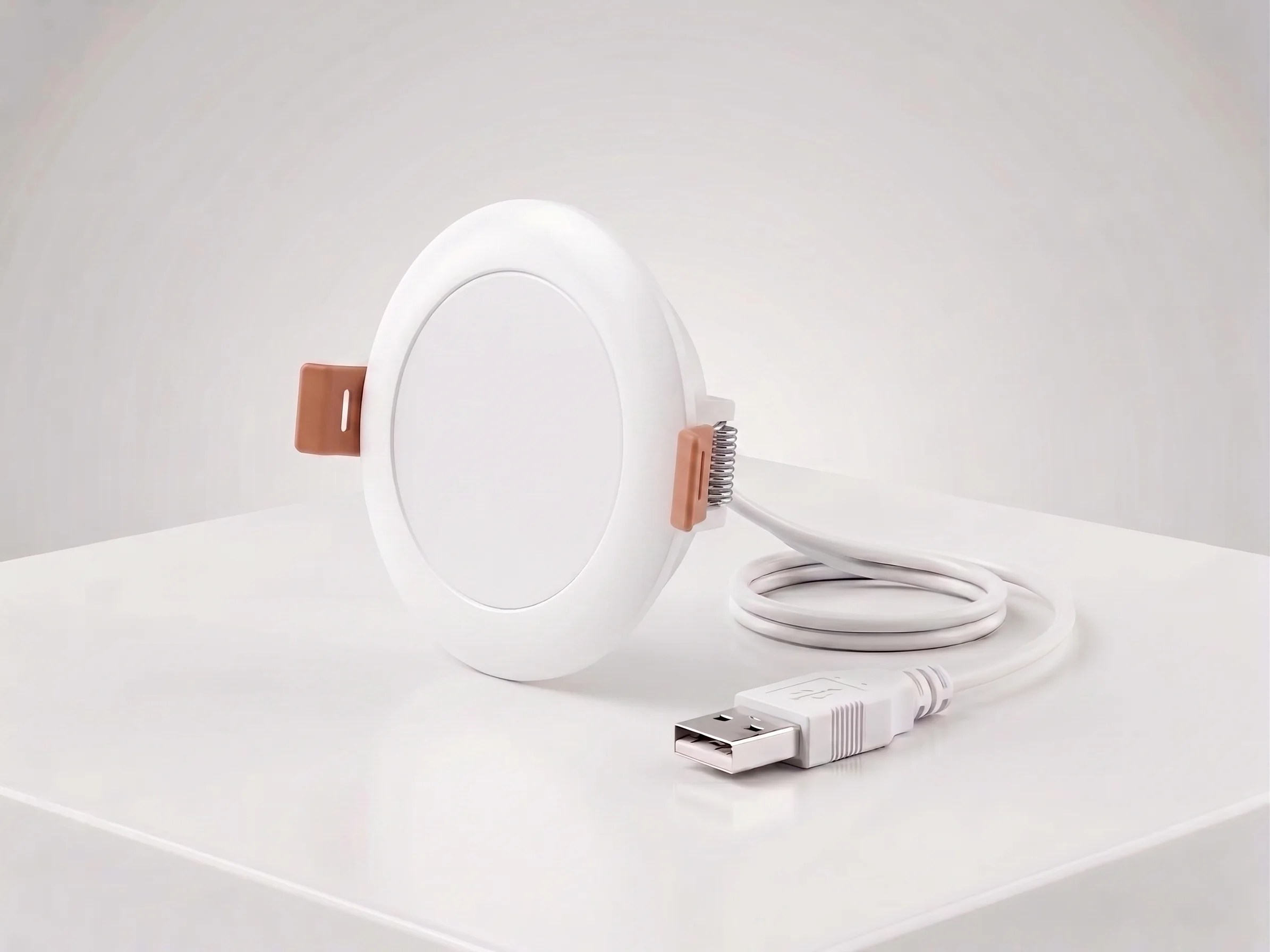
Ceiling Mount mmWave Human Presence Sensor — Zigbee
24GHz wideband mmWave ceiling presence sensor with 10m motion detection, 2.5m micro-motion, and breathing detection. 120° field, DC5V, Zigbee 3.0. For hotel room occupancy and commercial automation.
This page already points to it as the next recommended reference.
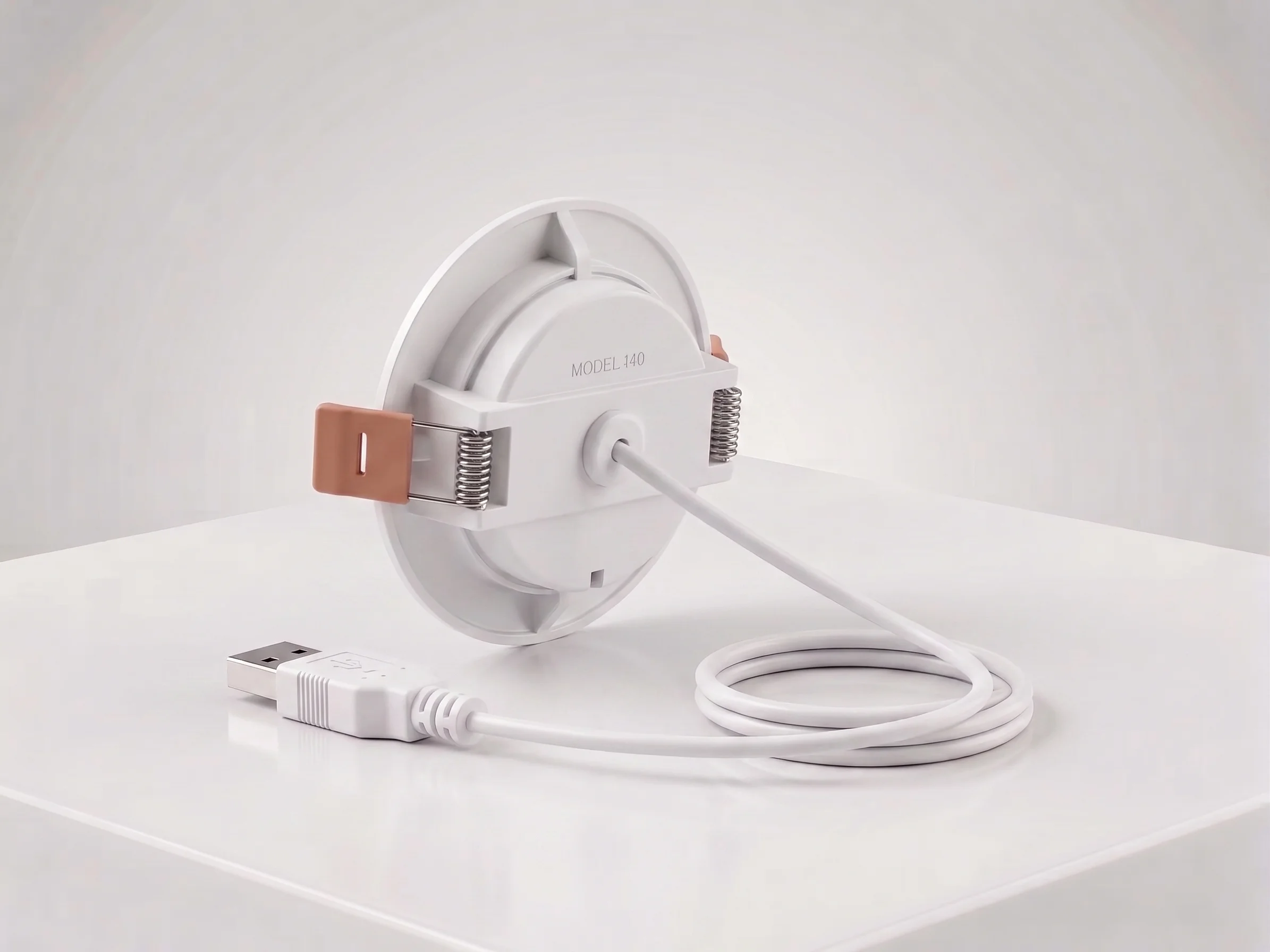
Ceiling Mount mmWave Human Presence Sensor — Matter over Thread
24GHz wideband mmWave ceiling presence sensor with 10m motion, 2.5m micro-motion, and breathing detection. 120° field, DC5V, Matter over Thread. Works natively with Apple Home, Google Home, and Alexa.
This page already points to it as the next recommended reference.
Related solutions
1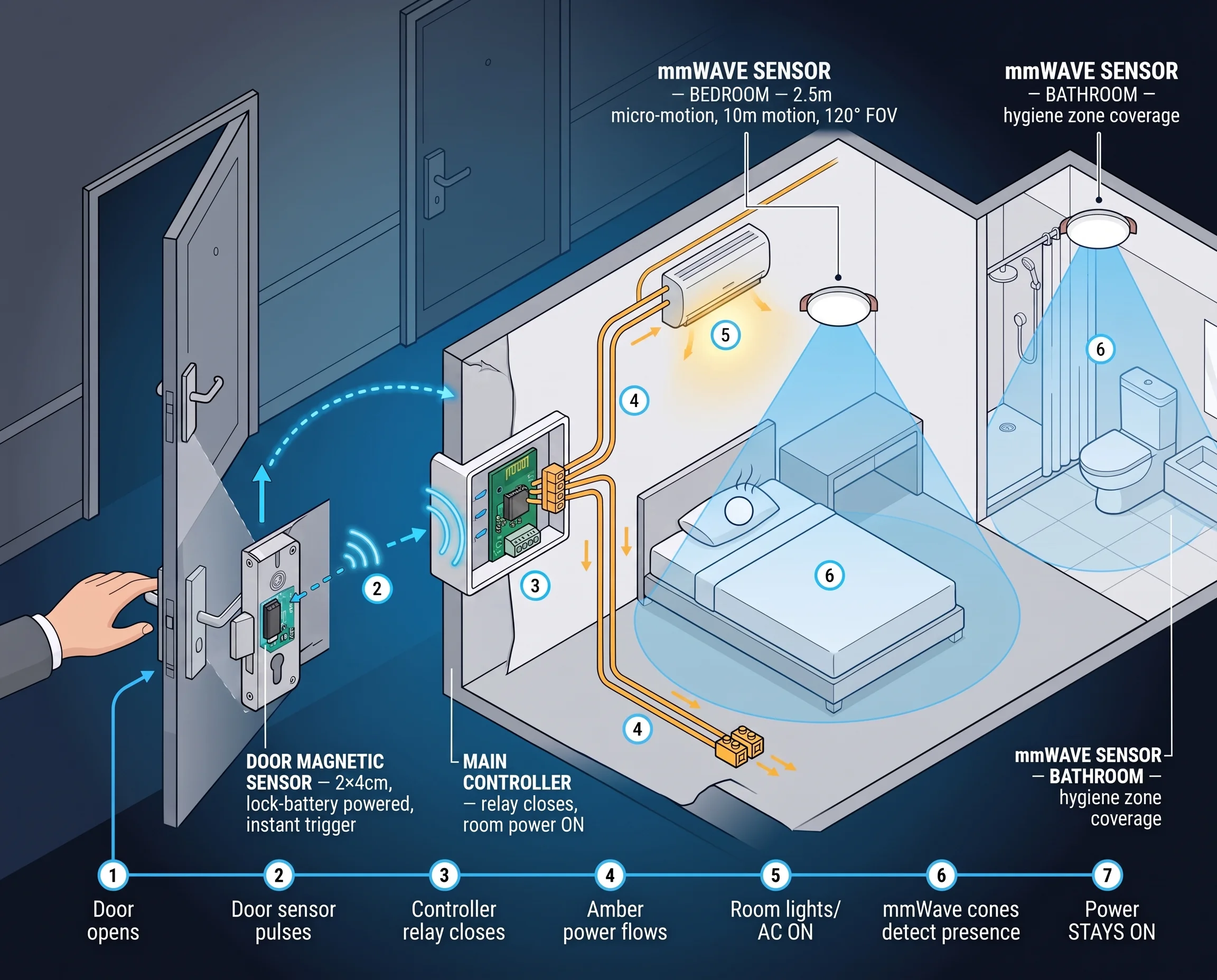
Hotel Room Occupancy & Motion Sensor Solution
mmWave radar presence sensors for hotel room occupancy, housekeeping scheduling, and HVAC energy saving. Detect true occupancy — even when the guest is asleep — with our ceiling-mount hotel room motion sensor.
It supports the same product context: Ceiling Mount mmWave Human Presence Sensor — Zigbee, Ceiling Mount mmWave Human Presence Sensor — Matter over Thread.
Related blog posts
3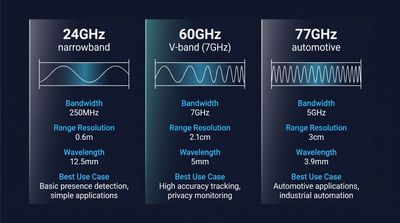
60GHz vs 24GHz vs 77GHz mmWave Sensors: Choosing the Right Frequency for Commercial Presence Detection
Compare 60GHz, 24GHz, and 77GHz mmWave sensors for commercial presence detection. Technical specs, detection range, privacy, and OEM sourcing guidance.
It supports the same product context: Ceiling Mount mmWave Human Presence Sensor — Zigbee.
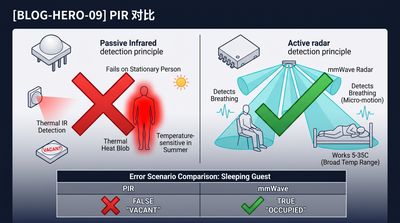
What Is an Electronic Presence Sensor? Technology, Accuracy, and How It Differs From a Motion Sensor
Learn what an electronic presence sensor is, how it detects stationary humans, and how it differs from a PIR motion sensor. Covers mmWave, accuracy, and use cases.
It supports the same product context: Ceiling Mount mmWave Human Presence Sensor — Zigbee, Ceiling Mount mmWave Human Presence Sensor — Matter over Thread.
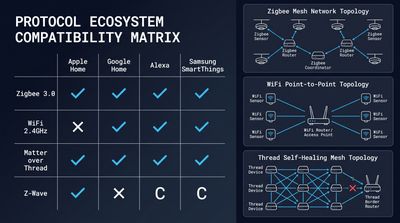
How to Integrate mmWave Presence Sensors With Home Assistant (Local Control Guide)
Step-by-step local control setup guide for mmWave devices, covering MQTT/Matter config, automation scripts, calibration and OEM ceiling presence sensor integration tips.
It supports the same product context: Ceiling Mount mmWave Human Presence Sensor — Matter over Thread, Ceiling Mount mmWave Human Presence Sensor — Zigbee.
Specify your hotel project with our engineers
Send your room count, ceiling type, and protocol preference. We will return a sample plan and quote within 24 business hours.
- Move from general guidance into a product or application discussion.
- Use RFQ when pricing, drawings, MOQ, or launch timing needs structure.
- Keep a direct contact path visible for fast clarifications and handoff.