Meeting Room Sensors: The Complete Guide to Occupancy-Based Automation in 2026
A complete guide to meeting room sensors: occupancy detection, scheduling integration, energy savings, and how to choose the right sensor for office conference rooms.
A meeting room sensor is an occupancy detection device installed in office conference rooms, huddle spaces, and collaborative work areas to determine whether the room is currently in use, how many people are inside, and how long the room has been occupied, and to feed this data into the building's scheduling, HVAC, lighting, and analytics systems. Modern meeting room sensors are typically ceiling-mounted or wall-mounted mmWave radar sensors that detect both moving and stationary occupants, integrated with platforms like Microsoft Teams, Zoom, Robin, Envoy, Teem, or other workspace management systems to provide real-time room availability and post-meeting analytics. The core value of a meeting room sensor is eliminating the two most common problems in office conference room management: the "ghost meeting" problem (where a meeting is scheduled but the room is actually empty, blocking the room from being used by others) and the "stolen meeting" problem (where a room shows as available but is actually occupied, leading to interruptions). A well-deployed meeting room sensor detects occupancy state within 1 second of an occupant entering the room, holds the occupied state throughout the meeting (including during long, quiet meetings where occupants are mostly stationary), and provides the data needed to drive HVAC setpoint changes, lighting scene selection, and real-time availability indicators on the room scheduling display.
The meeting room sensor market has expanded rapidly since 2020, driven by the post-pandemic shift to hybrid work and the resulting need for office buildings to provide accurate, real-time data on which conference rooms are actually being used. Traditional approaches to meeting room management — relying on the calendar system alone, or on PIR-based motion sensors, or on manual check-in — have proven inadequate for the modern office. The calendar system can show a room as booked for a meeting that no one attended, PIR sensors can show a room as empty when a meeting is in progress (because the occupants are mostly stationary), and manual check-in is unreliable. A meeting room sensor that can reliably detect both moving and stationary occupants, that integrates with the office scheduling platform, and that provides actionable data to the facilities team is now considered essential infrastructure for any office building with more than a handful of conference rooms.
Meeting Room Sensors: Why Traditional Approaches Fail
Understanding why traditional meeting room management approaches fail is the foundation for understanding why a dedicated meeting room sensor is necessary. The three most common traditional approaches — calendar-only management, PIR-based motion sensing, and manual check-in — each have specific failure modes that a modern meeting room sensor addresses.
Meeting Room Sensors: The Calendar-Only Approach
The calendar-only approach relies on the room scheduling system (Microsoft 365, Google Workspace, Robin, Envoy, etc.) to indicate whether a room is in use. The system shows the room as occupied during the scheduled meeting time and as available outside of the scheduled meeting time. This approach fails in several common scenarios:
- No-show meetings: a meeting is scheduled but the attendees do not show up. The room shows as occupied for the entire scheduled time, but it is actually empty, and other employees cannot book it.
- Meeting overruns: a meeting runs longer than scheduled. The room shows as available at the original end time, but the meeting is still in progress.
- Spontaneous meetings: employees gather in a room without booking it. The room shows as available, but it is actually occupied, leading to interruptions.
- Cancellations: a meeting is cancelled in the calendar but the cancellation is not synced to the room display. The room shows as occupied for a meeting that will not happen.
A meeting room sensor that detects actual occupancy solves all four of these failure modes. The sensor reports the actual occupancy state, and the scheduling system can show the room as available whenever it is actually empty (regardless of the calendar state) and as occupied whenever it is actually in use (regardless of the calendar state).
Meeting Room Sensors: The PIR Motion Sensor Approach
The PIR motion sensor approach uses a passive infrared sensor to detect motion in the conference room. The sensor reports the room as occupied when motion is detected and as available when no motion has been detected for a preset period (typically 10–30 minutes). This approach fails in scenarios where the occupants are mostly stationary:
- Long, quiet meetings: a meeting in progress where the attendees are mostly listening, taking notes, or watching a presentation. There may be little macro-motion, and the PIR sensor will time out and report the room as empty within 10–30 minutes, even though the meeting is still in progress.
- Video conferences: a meeting where the attendees are all looking at a screen and speaking. There may be minimal motion, and the PIR sensor will time out.
- Reading meetings: a meeting where the attendees are reading documents or reviewing materials. Minimal motion, PIR sensor times out.
A meeting room sensor based on mmWave radar (or another active sensing technology) can detect stationary occupants, including those sitting still for extended periods, because it can detect the micro-motion of breathing and small postural adjustments. This is the key capability that distinguishes a true meeting room sensor from a PIR-based motion sensor.
Meeting Room Sensors: The Manual Check-In Approach
The manual check-in approach relies on the meeting organizer to physically check in to the room (via a touch panel, a QR code scan, or an NFC tap) at the start of the meeting. The room is marked as in use only when the check-in is completed, and the room is automatically released after a certain period if no check-in occurs. This approach fails when the organizer forgets to check in, when the meeting is spontaneous, or when the meeting runs over.
A meeting room sensor that detects actual occupancy eliminates the need for manual check-in. The room is automatically marked as in use when occupants are detected, and is automatically released when the room is empty (after a preset hold time, typically 10–15 minutes). The check-in process becomes optional, used only when the organizer wants to confirm that the meeting is happening (for billing or for space planning purposes).
Meeting Room Sensors: Technology Options
The technology options for a meeting room sensor fall into three main categories: mmWave radar sensors, PIR motion sensors, and computer vision sensors. Each has different strengths and weaknesses, and the right choice depends on the specific requirements of the conference room and the integration with the scheduling platform.
Meeting Room Sensors: mmWave Radar Sensors
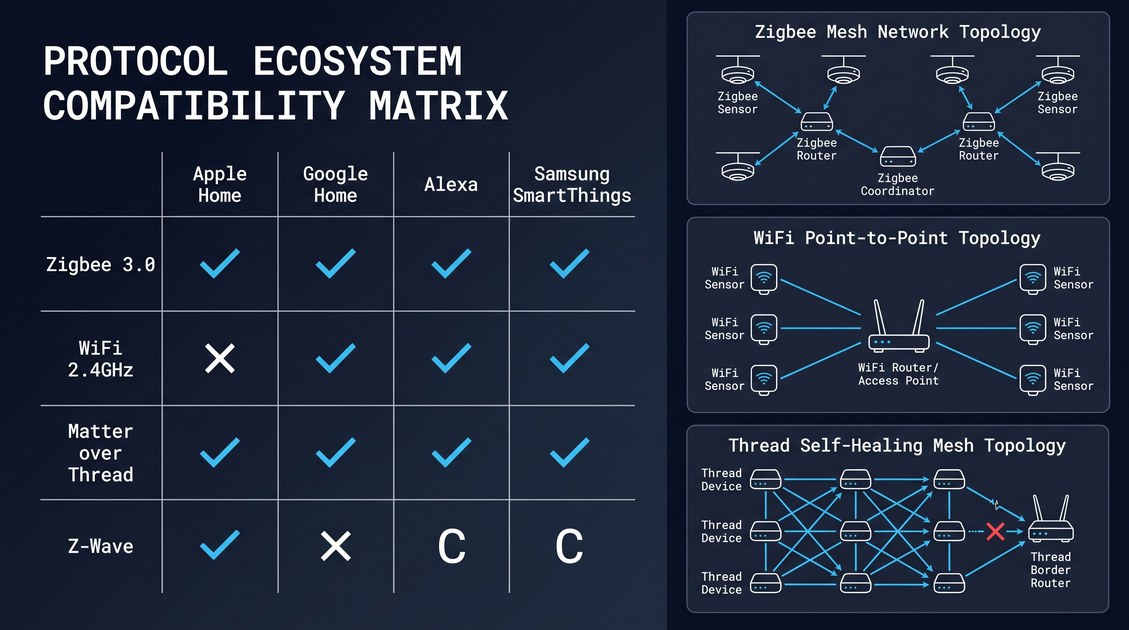
mmWave radar sensors are the most common technology for modern meeting room sensors, and they are the default choice for most deployments. A 60 GHz mmWave radar sensor mounted in the ceiling of a conference room can detect both moving and stationary occupants, can count the number of occupants (with some accuracy limits), and can report the occupancy state via standard protocols (Zigbee, WiFi, BACnet, MQTT). The key advantages of mmWave radar for meeting room sensing are:
- Stationary occupant detection: mmWave radar can detect a person sitting still, which PIR sensors cannot.
- Privacy profile: mmWave radar produces only point cloud data, not images, which is a significant privacy advantage over cameras.
- Form factor: a 60 GHz mmWave radar sensor fits in a 70 mm ceiling puck, which is unobtrusive in an office environment.
- Multi-target tracking: a mmWave radar sensor with a 2×2 or 3×3 MIMO antenna array can resolve multiple occupants, which is useful for occupancy counting.
- Environmental tolerance: mmWave radar is unaffected by lighting conditions (it works in complete darkness) and is not blinded by direct sunlight or reflections.
The disadvantages of mmWave radar for meeting room sensing are the higher cost (compared to PIR) and the more complex installation (requires ceiling mounting and power).
Meeting Room Sensors: PIR Motion Sensors
PIR motion sensors are a lower-cost option for meeting room sensing, but they have significant limitations in conference room applications. A PIR sensor detects motion, not presence, and a conference room full of stationary occupants will eventually time out and report the room as empty. To compensate for this limitation, some PIR-based meeting room sensors use a long time-out (30–60 minutes) or use additional sensors (door sensors, CO₂ sensors) to extend the time-out. But these workarounds are imperfect, and PIR-based meeting room sensors are increasingly being replaced by mmWave radar sensors in new deployments.
The advantages of PIR sensors for meeting room sensing are the lower cost, the simpler installation (battery-powered, no ceiling mounting required), and the longer battery life (3–5 years on a coin cell). The disadvantages are the inability to detect stationary occupants, the limited multi-occupant capability, and the higher false negative rate in long meetings.
Meeting Room Sensors: Computer Vision Sensors
Computer vision sensors use a camera and on-device image processing to detect and count occupants in a conference room. A vision-based meeting room sensor can deliver the highest accuracy in terms of person counting and activity recognition, but it raises significant privacy concerns in a corporate environment (employees may not want to be recorded in a conference room, even if the recording is on-device and not transmitted). For this reason, vision-based meeting room sensors are less common than mmWave radar sensors, and they are typically deployed only in environments where the privacy concerns have been explicitly addressed (with employee notification, with on-device processing only, and with no image retention).
The advantages of computer vision for meeting room sensing are the highest person-counting accuracy, the ability to identify activity (presentation in progress, video conference, in-person discussion), and the availability of face anonymization (blurring faces in real time). The disadvantages are the privacy concerns, the higher cost, the larger form factor, and the dependency on lighting conditions (a vision sensor in a dimly lit conference room may not work well).
| Sensor technology | Stationary occupant | Person counting | Privacy profile | Typical cost (1k) | Best for |
|---|---|---|---|---|---|
| mmWave radar (60 GHz) | Yes | 3–5 occupants | Excellent (no images) | $50–150 | Default for most offices |
| PIR motion sensor | No | 1–2 occupants | Excellent (binary output) | $10–30 | Budget, small rooms |
| Computer vision | Yes | 5–10 occupants | Fair (with anonymization) | $100–300 | High-end, large rooms |
Meeting Room Sensors: Sensor Placement and Installation
The placement of a meeting room sensor is critical to its performance, and several factors must be considered: the size of the room, the height of the ceiling, the location of the table and chairs, the location of doors and windows, and the presence of obstacles (whiteboards, screens, plants). A well-placed meeting room sensor can detect all occupants reliably, while a poorly placed sensor may have blind spots or may be triggered by motion outside the room.
Meeting Room Sensors: Ceiling-Mounted Placement
The most common placement for a meeting room sensor is ceiling-mounted, in the center of the room. A ceiling-mounted sensor at a height of 2.5–3.0 m has a clear line of sight to all occupants in the room and can cover the entire room with a single sensor. The recommended placement for a 60 GHz mmWave radar sensor with a ±60° azimuth field of view is:
- Small huddle room (up to 4 people): one sensor, ceiling-mounted in the center, at a height of 2.5–3.0 m.
- Medium conference room (5–10 people): one sensor, ceiling-mounted in the center, at a height of 2.7–3.0 m. The sensor should be oriented to provide coverage of the table and chairs, with the field of view covering the entire room.
- Large conference room (10–20 people): two sensors, ceiling-mounted at opposite ends of the room, each covering half of the room. The sensors should be coordinated to avoid cross-sensor interference and to provide accurate occupancy counting.
- Boardroom (20+ people): three or more sensors, ceiling-mounted in a triangular or grid pattern, providing full coverage of the room. The sensors should be coordinated to provide accurate occupancy counting and to avoid cross-sensor interference.
The ceiling-mounted placement has several advantages: it provides a clear line of sight to all occupants, it is unobtrusive (the sensor looks like a smoke detector or a small ceiling speaker), it is difficult to tamper with (the sensor is high on the ceiling and not easily accessible), and it is not affected by furniture rearrangement (the sensor is mounted to the ceiling, not to the furniture).
Meeting Room Sensors: Wall-Mounted Placement
An alternative placement for a meeting room sensor is wall-mounted, typically on a wall adjacent to the door or on a wall at one end of the room. A wall-mounted sensor is less obtrusive in some office designs (where a ceiling sensor would clash with the aesthetic), and it can be more accessible for maintenance. The disadvantages of wall-mounted placement are the more limited field of view (a wall-mounted sensor typically has a narrower field of view than a ceiling-mounted sensor), the potential for occlusion by furniture or occupants, and the need to be carefully oriented to cover the entire room.
For a small huddle room or a focus room, a wall-mounted sensor can be a good choice. The sensor is typically mounted on the wall opposite the door, at a height of 1.5–2.0 m, and is oriented to cover the entire room. A wall-mounted mmWave radar sensor is typically used in the wall-mount-presence-sensor form factor, which is more compact than a ceiling-mounted sensor and can be installed without ceiling access.
Meeting Room Sensors: Avoiding Common Installation Mistakes
Several common installation mistakes can undermine the performance of a meeting room sensor, and the procurement team or installer should be aware of them:
- Mounting too close to a wall: mounting the sensor too close to a wall can create a dead zone on the opposite side of the room, where the sensor cannot detect occupants. The recommended minimum distance from a wall is 0.5 m for a ceiling-mounted sensor.
- Mounting near metal objects: mounting the sensor near metal objects (metal ceiling tiles, metal HVAC ducts, metal furniture) can reflect the radar signal and create false detections. The recommended minimum distance from metal objects is 0.5 m for a ceiling-mounted sensor.
- Mounting too high or too low: mounting the sensor too high (above 3.5 m) reduces the field of view at floor level, and mounting too low (below 2.0 m) makes the sensor vulnerable to tampering. The recommended mounting height is 2.5–3.0 m for a ceiling-mounted sensor.
- Blocking the field of view: mounting the sensor behind a whiteboard, a screen, or a plant can block the field of view and create dead zones. The sensor should be mounted in a clear location with a clear line of sight to the entire room.
- Mounting near HVAC diffusers: mounting the sensor near an HVAC diffuser can cause the airflow to trigger false detections. The recommended minimum distance from an HVAC diffuser is 0.5 m.
Meeting Room Sensors: Integration with Scheduling Platforms
The integration of a meeting room sensor with the office scheduling platform is what makes the sensor useful in practice. Without integration, the sensor is just a presence detector that provides data; with integration, the sensor becomes a tool that drives real-time room availability, automated HVAC control, and post-meeting analytics. The major office scheduling platforms as of 2026 are Microsoft 365 (with Teams Rooms), Google Workspace (with Google Meet hardware), Robin, Envoy, Teem, and a number of smaller workspace management platforms. Each platform has its own integration mechanism for meeting room sensors.
Meeting Room Sensors: Microsoft 365 and Teams Rooms Integration
Microsoft 365 and Teams Rooms is the dominant office scheduling platform, and most meeting room sensor vendors provide native integration with it. The integration typically works as follows:
- The meeting room sensor reports its occupancy state to a gateway or cloud platform.
- The gateway or cloud platform communicates the occupancy state to the Microsoft Graph API, which is the unified API for Microsoft 365.
- The Teams Rooms display in the conference room shows the real-time occupancy state, including a green indicator when the room is empty, a red indicator when the room is occupied, and a yellow indicator when the room is reserved but not yet occupied.
- The Microsoft 365 calendar shows the real-time availability of the room, so employees can see whether a room is actually being used (not just whether it is reserved).
- The Microsoft 365 admin console provides analytics on room utilization, including average meeting duration, peak meeting times, and underutilized rooms.
A meeting room sensor that integrates with Microsoft 365 / Teams Rooms can provide significant value to an organization, including reduced meeting no-shows, better space utilization, and improved employee satisfaction (employees can find an available room quickly without walking around the office).
Meeting Room Sensors: Google Workspace Integration
Google Workspace (with Google Meet hardware) is the second major office scheduling platform, and many meeting room sensor vendors also provide native integration with it. The integration typically works through the Google Calendar API and the Google Meet hardware API, allowing the sensor's occupancy data to be reflected in the Google Calendar and on the Google Meet hardware display.
Meeting Room Sensors: Robin, Envoy, and Teem Integration
Robin, Envoy, and Teem are specialized workspace management platforms that are designed to integrate with multiple calendar systems (Microsoft 365, Google Workspace, etc.) and to provide additional features (room booking, desk booking, visitor management, analytics). A meeting room sensor that integrates with one of these platforms can provide occupancy data to the platform, which then displays the data in the workspace management interface and uses it to drive automated actions (room release, HVAC control, etc.).
Meeting Room Sensors: Driving Energy Savings
One of the most tangible benefits of a meeting room sensor is the energy savings from occupancy-based HVAC and lighting control. A conference room that is unoccupied for a significant portion of the day can waste a substantial amount of energy if the HVAC and lighting are left running. A meeting room sensor can reduce this waste by:
- HVAC setpoint adjustment: when the room is empty, the HVAC setpoint can be adjusted to a more energy-efficient level (e.g., 78°F cooling / 68°F heating instead of 74°F cooling / 72°F heating). When the room is occupied, the setpoint returns to the comfort level.
- Lighting control: when the room is empty, the lights can be turned off. When the room is occupied, the lights can be turned on (or dimmed, if daylight harvesting is enabled).
- AV system control: when the room is empty, the AV system (display, video conferencing, speakers) can be turned off to save energy and to extend equipment life.
- Window blind control: when the room is empty, the window blinds can be adjusted to reduce solar heat gain in the summer or to maximize passive solar heating in the winter.
A typical office conference room can achieve 20–40% energy savings from occupancy-based HVAC and lighting control, with the savings being higher in rooms that are underutilized (where the room is unoccupied for a larger portion of the day). For an office with 50 conference rooms, the annual energy savings can be in the range of $50,000–$200,000, depending on the local energy costs and the utilization pattern.
Meeting Room Sensors: Analytics and Space Utilization
Beyond the immediate benefits of real-time availability and energy savings, a meeting room sensor provides the data needed for space utilization analytics, which can inform long-term decisions about the office layout and the meeting room inventory. The typical analytics that a meeting room sensor enables include:
- Room utilization rate: the percentage of time that each room is actually occupied (versus the percentage of time that it is reserved). A room that is reserved 80% of the time but actually occupied only 30% of the time is a candidate for downsizing or repurposing.
- Peak meeting times: the times of day when meeting rooms are most heavily used. This data can inform decisions about staffing (when to have AV support staff on hand) and about HVAC scheduling (when to pre-cool or pre-heat the building).
- Average meeting duration: the average actual duration of meetings, compared to the scheduled duration. Meetings that consistently run over their scheduled time may indicate a need for longer default meeting durations, and meetings that consistently end early may indicate a need for shorter default meeting durations.
- No-show rate: the percentage of meetings that are reserved but never attended. A high no-show rate may indicate a problem with the meeting culture or with the meeting scheduling process.
- Occupancy density: the average number of occupants per meeting, compared to the room capacity. A room that is consistently booked for 4 people but only used by 1–2 people is a candidate for being replaced with smaller huddle rooms.
- Underutilized rooms: rooms that are consistently unoccupied. These rooms can be repurposed (e.g., converted to a focus room or a phone booth) or eliminated.
A meeting room sensor that provides these analytics can help the facilities team make data-driven decisions about the office layout, the meeting room inventory, and the meeting culture. The analytics can be presented in a dashboard (typically a web-based interface) and can be exported to a business intelligence tool for further analysis.
Meeting Room Sensors: Privacy and Compliance Considerations
The deployment of a meeting room sensor in an office environment raises privacy considerations that must be addressed, especially in jurisdictions with comprehensive data protection laws (GDPR in the EU, CCPA in California, etc.). The key privacy considerations are:
- Data minimization: the meeting room sensor should collect only the data necessary for the intended functions (occupancy state, number of occupants, duration of occupancy). It should not collect any personally identifiable information (PII) about the occupants.
- On-device processing: the meeting room sensor should process the occupancy data on-device, and should only transmit the classified occupancy state (or the occupancy count) to the scheduling platform. The raw sensor data (radar point cloud, camera images) should not be transmitted off-device.
- Data retention: the meeting room sensor should not retain any historical data on-device. The occupancy data should be stored in the scheduling platform, where it can be managed according to the organization's data retention policy.
- Employee notification: employees should be notified that meeting room sensors are deployed in the office, what data the sensors collect, and how the data is used. The notification can be in the form of a physical notice (a sign on the conference room door), a digital notice (a banner in the office scheduling app), or both.
- GDPR compliance: for offices in the EU, a meeting room sensor that collects only occupancy state (without linking the state to identifiable individuals) is generally outside the scope of personal data. The data protection impact assessment (DPIA) should confirm this.
A well-designed meeting room sensor, with on-device processing and data minimization, is generally considered privacy-friendly and can be deployed in most office environments without significant privacy concerns. The procurement team should verify that the sensor vendor provides the necessary privacy controls and documentation, including a data processing agreement (DPA) for EU deployments and a CCPA compliance statement for California deployments.
Meeting Room Sensors: Procurement Considerations
The procurement of meeting room sensors for an office deployment involves several decisions: the number of sensors per room, the sensor technology (mmWave, PIR, vision), the connectivity (Zigbee, WiFi, BACnet), the integration with the scheduling platform, the power source (mains, battery, PoE), and the vendor selection. The following considerations should guide the procurement decision.
Meeting Room Sensors: Number of Sensors per Room
The number of sensors per room is determined by the room size and the sensor's field of view. A small huddle room (up to 4 people, 10 m²) typically needs one sensor. A medium conference room (5–10 people, 15–25 m²) typically needs one sensor with a wide field of view, or two sensors for better coverage. A large conference room (10–20 people, 25–50 m²) typically needs two to three sensors, depending on the room geometry. A boardroom (20+ people, 50+ m²) typically needs three or more sensors in a coordinated configuration.
The procurement team should consult with the sensor vendor to determine the optimal sensor placement for each room in the deployment, based on the room geometry and the sensor's field of view. A site survey is often required for large deployments, where the vendor's field application engineer visits the site and designs the sensor placement.
Meeting Room Sensors: Connectivity and Integration
The connectivity of the meeting room sensor determines how it integrates with the scheduling platform and the building management system. The major connectivity options are:
- WiFi: the most common connectivity for office meeting room sensors. The sensor connects to the office WiFi network and communicates with the cloud platform (where the integration with the scheduling platform is implemented). The advantages of WiFi are the wide availability of WiFi in offices, the high bandwidth, and the ease of integration. The disadvantage is the higher power consumption, which means the sensor typically needs mains power or PoE.
- Zigbee: a low-power alternative that is common in commercial building automation. The sensor connects to a Zigbee coordinator, which bridges to the cloud platform or the building management system. The advantages of Zigbee are the lower power consumption (which allows battery-powered sensors) and the mesh networking capability. The disadvantage is the lower bandwidth, which is sufficient for occupancy events but not for high-bandwidth data.
- BACnet/IP or Modbus TCP: industrial protocols that are common in commercial building automation. The sensor connects directly to the building management system without requiring a cloud platform. The advantage of BACnet is the direct integration with the building management system, which is the system of record for HVAC and lighting control. The disadvantage is the lack of integration with the scheduling platform, which may require a separate integration.
- PoE (Power over Ethernet): a wired connectivity option that provides both power and data over a single Ethernet cable. PoE is common in office environments where Ethernet cabling is already in place. The advantage of PoE is the reliable power and data, which is important for critical deployments. The disadvantage is the need for Ethernet cabling, which may not be available in all conference rooms.
Meeting Room Sensors: Power Source
The power source of the meeting room sensor is determined by the connectivity and the installation location. A WiFi-connected sensor typically needs mains power (via a power adapter) or PoE. A Zigbee-connected sensor can be battery-powered, which simplifies installation but requires battery replacement every 12–18 months. A PoE-connected sensor has the most reliable power and is the preferred choice for critical deployments.
For new construction, PoE is the preferred choice because the Ethernet cabling can be installed during construction, and the PoE infrastructure (PoE switches, PoE injectors) can be specified as part of the network design. For retrofit deployments, mains power or battery power may be more practical, depending on the existing infrastructure.
Meeting Room Sensors: Vendor Selection
The vendor selection for meeting room sensors should be based on the same evaluation framework as for any presence sensor: technical capability, certifications, supply chain resilience, and commercial terms. In addition, the procurement team should consider the integration with the office scheduling platform, which is the most important differentiator between meeting room sensor vendors. A vendor that has a proven integration with Microsoft 365 / Teams Rooms, Google Workspace, Robin, Envoy, or Teem is a stronger candidate than a vendor that requires custom integration.
The major meeting room sensor vendors as of 2026 include:
- PresenceSensor: ceiling-mounted and wall-mounted mmWave radar sensors with native integration with Microsoft 365, Google Workspace, Robin, and Envoy. The product line includes the ceiling-presence-sensor-zigbee, ceiling-presence-sensor-wifi, and wall-mount-presence-sensor SKUs.
- Cisco: Webex-integrated meeting room sensors that work with the Webex platform.
- Logitech: Logitech Rally Bar and other meeting room devices with integrated occupancy detection (PIR-based, not mmWave).
- Poly (HP): Poly Studio and other meeting room devices with integrated occupancy detection.
- Crestron: enterprise-grade meeting room sensors and control systems with integration with multiple scheduling platforms.
- Extron: enterprise-grade meeting room sensors and control systems.
- AMX (Harman): enterprise-grade meeting room sensors and control systems.
Meeting Room Sensors: Cost-Benefit Analysis
The cost-benefit analysis for a meeting room sensor deployment should consider both the direct costs (hardware, installation, integration) and the indirect benefits (energy savings, productivity gains, employee satisfaction). The typical cost-benefit calculation is as follows.
Meeting Room Sensors: Direct Costs
- Hardware: $50–150 per sensor (for a mmWave radar sensor with WiFi or Zigbee connectivity)
- Installation: $50–200 per sensor (for ceiling mounting, wiring, and commissioning)
- Integration: $1,000–5,000 per deployment (for integration with the scheduling platform, including API development and testing)
- Software subscription (if applicable): $5–20 per sensor per month (for cloud platforms that charge per sensor)
For an office with 50 conference rooms, the total direct cost is typically $10,000–$30,000, depending on the number of sensors per room and the integration complexity.
Meeting Room Sensors: Indirect Benefits
- Energy savings: $200–1,000 per room per year (depending on the local energy costs, the room size, and the utilization pattern)
- Productivity gains: $1,000–5,000 per room per year (from reduced time spent searching for available rooms, from reduced meeting interruptions, and from better space utilization)
- Real estate optimization: $5,000–20,000 per room per year (from reduced office space requirements, enabled by better space utilization)
For an office with 50 conference rooms, the total indirect benefits are typically $200,000–$1,000,000 per year, which is 5–20× the direct costs. The payback period for a meeting room sensor deployment is typically 1–3 months, making it one of the highest-ROI investments in office technology.
Meeting Room Sensors: Future Trends
The meeting room sensor market is evolving rapidly, driven by the post-pandemic shift to hybrid work and the increasing demand for accurate, real-time data on conference room usage. Several trends are shaping the future of the market.
Meeting Room Sensors: Integration with Hybrid Work Platforms
The integration of meeting room sensors with hybrid work platforms (Microsoft Teams, Zoom, Google Meet) is becoming increasingly important. A meeting room sensor can provide the data needed to drive the "in-room vs remote" indicator on a video conference, the "room is occupied" notification for in-office employees looking for a room, and the "meeting is in progress" notification for cleaning staff. The integration is typically done via the platform's API, and it requires the meeting room sensor to expose its occupancy data in a standard format.
Meeting Room Sensors: Multi-Sensor Convergence
The convergence of the meeting room sensor with other in-room sensing modalities (CO₂ sensing for ventilation control, light sensing for daylight harvesting, temperature/humidity sensing for HVAC optimization, acoustic sensing for noise level monitoring) is becoming increasingly common. A multi-sensor meeting room device can provide a comprehensive view of the room's environment, enabling more sophisticated automation (e.g., reducing the HVAC setpoint when the room is full and the CO₂ level is high) and better analytics (e.g., understanding how the room's environment affects meeting productivity).
Meeting Room Sensors: AI and Predictive Analytics
The increasing use of AI and predictive analytics in meeting room sensing is enabling new capabilities, such as predicting meeting room demand based on historical patterns, recommending optimal meeting times based on the attendees' calendars, and detecting anomalies (a room that is consistently overbooked, a room that is consistently underutilized). These AI capabilities are typically implemented in the cloud platform, not on the sensor itself, and they require the sensor to provide high-quality occupancy data over time.
Meeting Room Sensors: Final Recommendation
A meeting room sensor is an essential component of any modern office conference room, providing the data needed to eliminate the ghost meeting and stolen meeting problems, to drive energy-efficient HVAC and lighting control, and to enable space utilization analytics. The default technology choice is a 60 GHz mmWave radar sensor, which provides reliable stationary-occupant detection, an excellent privacy profile, and a compact form factor. The sensor should be integrated with the office scheduling platform (Microsoft 365, Google Workspace, Robin, Envoy, Teem) to provide real-time room availability and to drive automation. The deployment cost is typically $10,000–$30,000 for a 50-room office, with a payback period of 1–3 months from energy savings, productivity gains, and real estate optimization.
For a procurement team evaluating meeting room sensors, the key decisions are the technology (mmWave radar is the default), the connectivity (WiFi or PoE for office environments), the integration (native integration with the scheduling platform is essential), and the vendor (a vendor with a proven track record in the target vertical and with native integration with the target scheduling platform is the strongest candidate). With the right sensor, the right integration, and the right vendor, a meeting room sensor deployment can deliver significant value to the organization, both in terms of immediate operational benefits and in terms of long-term space utilization insights.
Not sure which sensor fits your project?
Talk to our mmWave application engineers for a free consultation.
Find the right presence sensor for your hotel project
Compare the 3 protocols, check hotel-specific case studies, and download the installation guide
Related products
3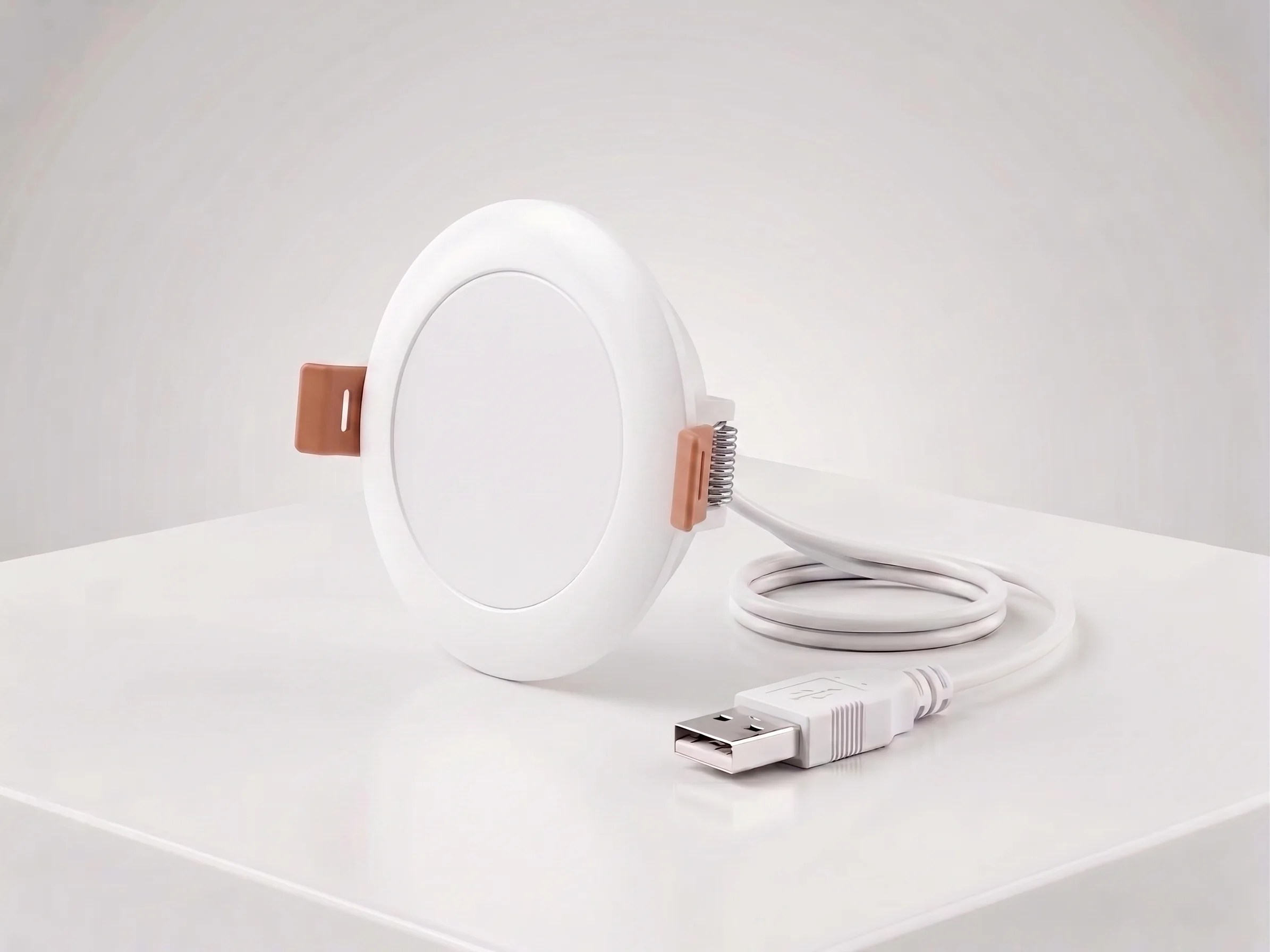
Ceiling Mount mmWave Human Presence Sensor — Zigbee
24GHz wideband mmWave ceiling presence sensor with 10m motion detection, 2.5m micro-motion, and breathing detection. 120° field, DC5V, Zigbee 3.0. For hotel room occupancy and commercial automation.
This page already points to it as the next recommended reference.
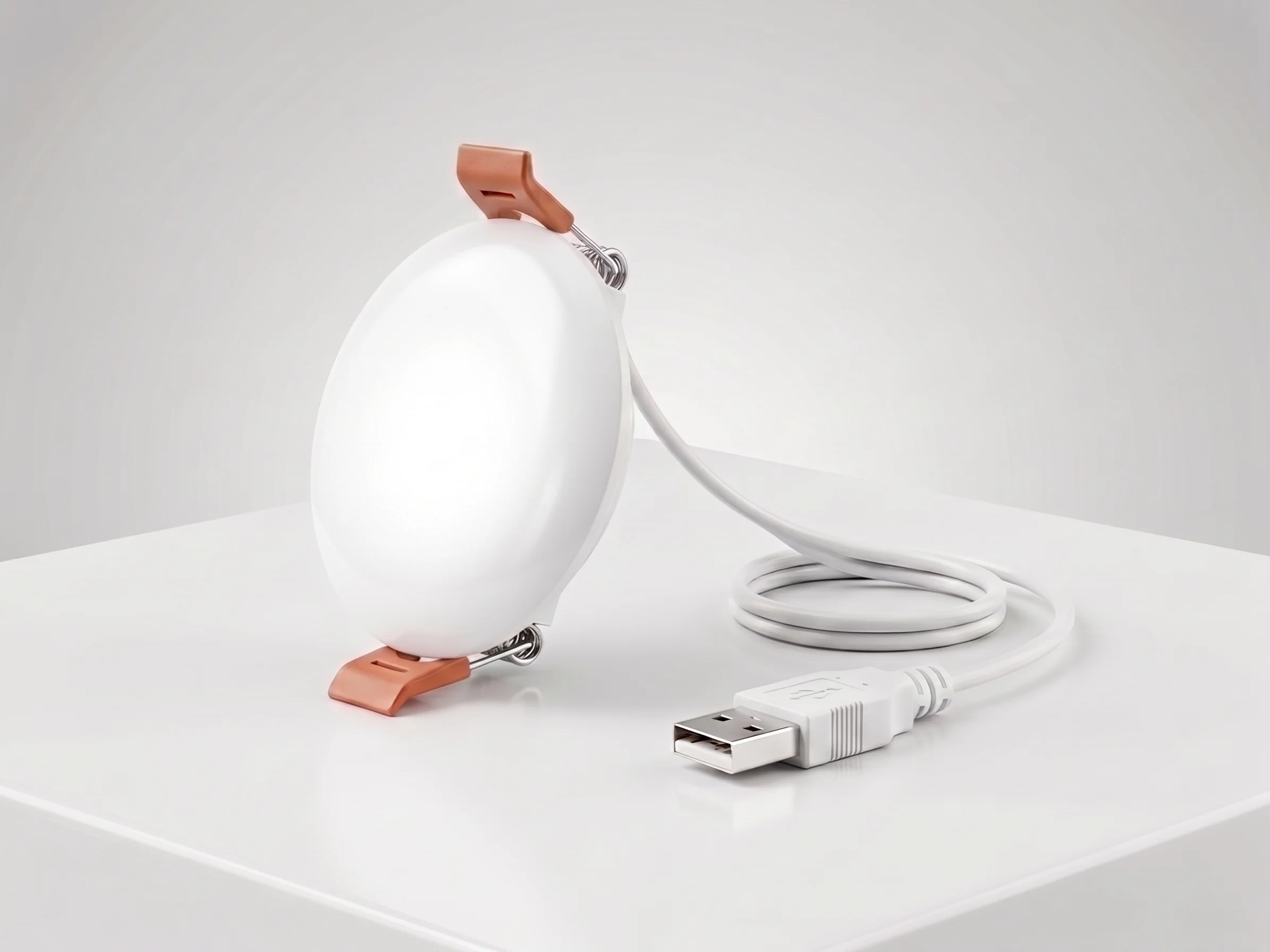
Ceiling Mount mmWave Human Presence Sensor — WiFi
24GHz wideband mmWave ceiling presence sensor with 10m motion detection, 2.5m micro-motion, and breathing detection. 120° field, DC5V, WiFi 2.4GHz. No gateway required for retrofit hotel and apartment projects.
This page already points to it as the next recommended reference.
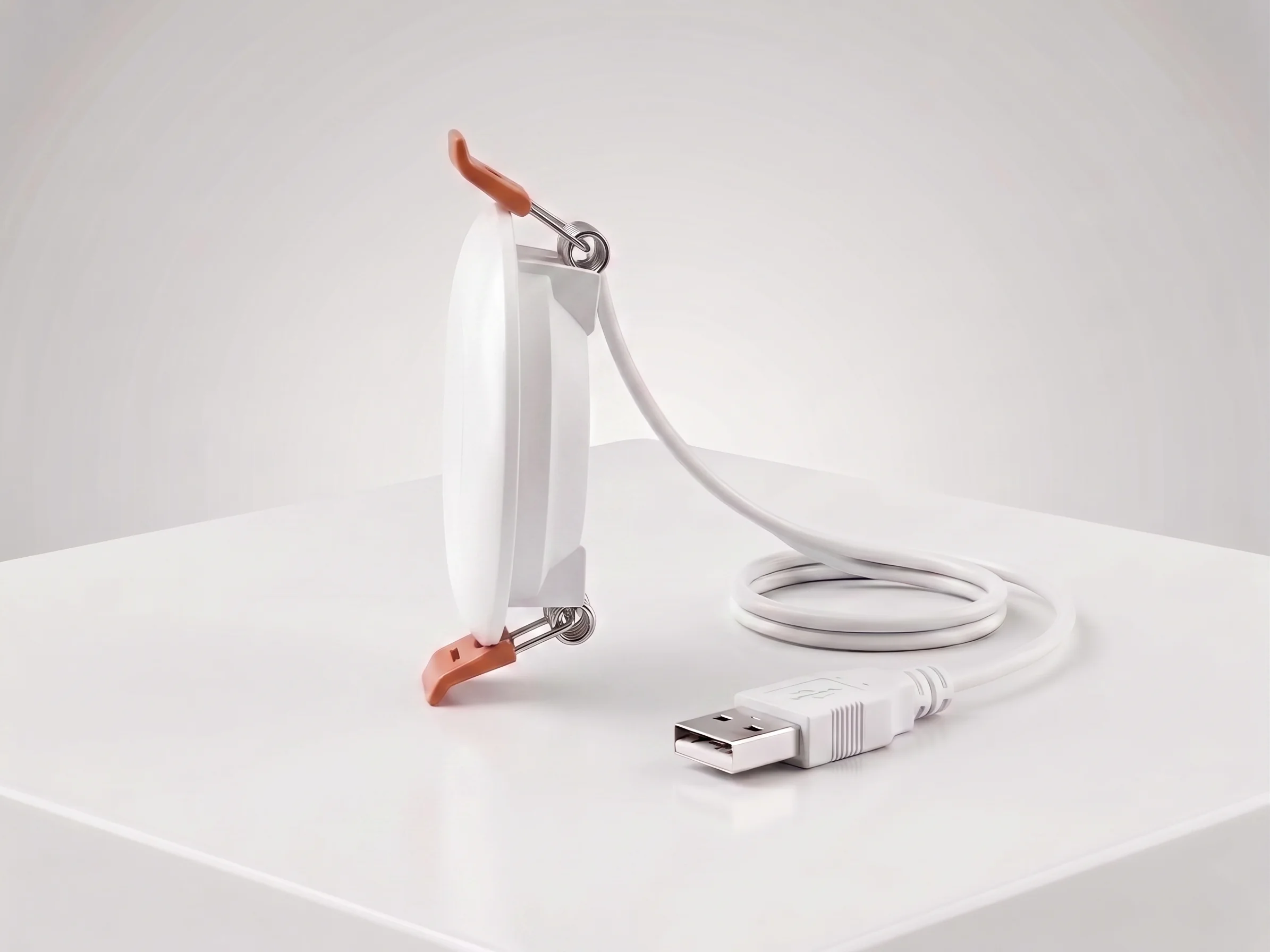
Wall Mount mmWave Human Presence Sensor
24GHz wideband mmWave presence sensor in a standard 86mm wall form factor. 10m motion, 2.5m micro-motion, breathing detection, 120° field, DC5V. Zigbee + WiFi dual mode for office and residential presence automation.
This page already points to it as the next recommended reference.
Related solutions
1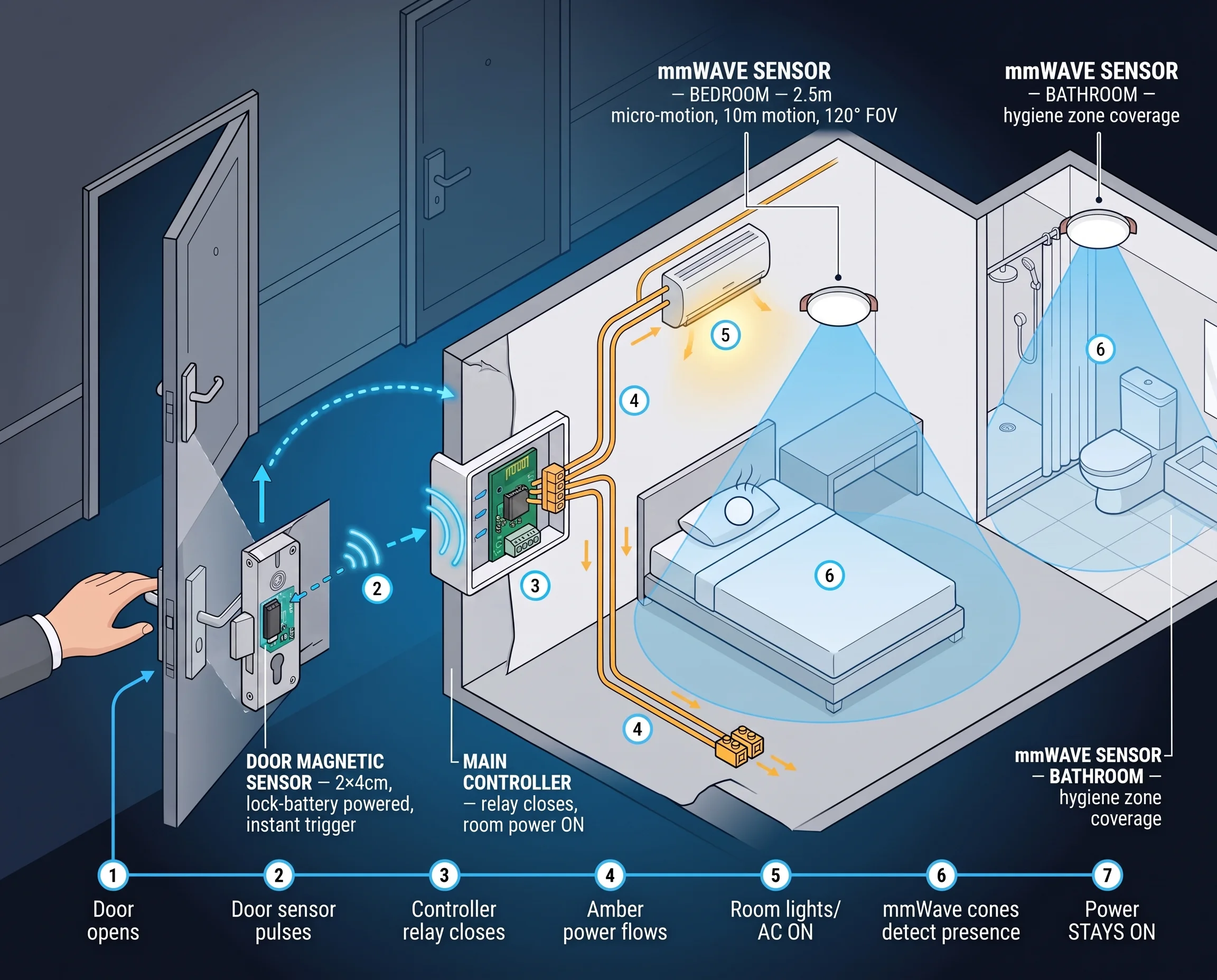
Hotel Room Occupancy & Motion Sensor Solution
mmWave radar presence sensors for hotel room occupancy, housekeeping scheduling, and HVAC energy saving. Detect true occupancy — even when the guest is asleep — with our ceiling-mount hotel room motion sensor.
It supports the same product context: Ceiling Mount mmWave Human Presence Sensor — Zigbee, Ceiling Mount mmWave Human Presence Sensor — WiFi.
Related blog posts
3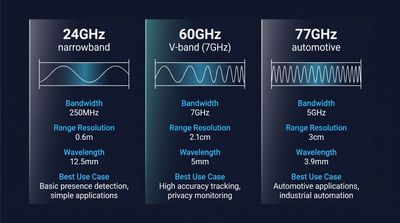
60GHz vs 24GHz vs 77GHz mmWave Sensors: Choosing the Right Frequency for Commercial Presence Detection
Compare 60GHz, 24GHz, and 77GHz mmWave sensors for commercial presence detection. Technical specs, detection range, privacy, and OEM sourcing guidance.
It supports the same product context: Ceiling Mount mmWave Human Presence Sensor — Zigbee, Ceiling Mount mmWave Human Presence Sensor — WiFi.
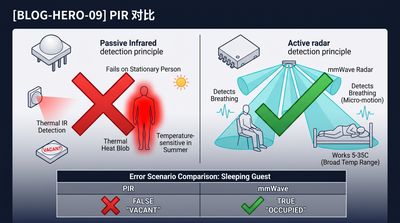
What Is an Electronic Presence Sensor? Technology, Accuracy, and How It Differs From a Motion Sensor
Learn what an electronic presence sensor is, how it detects stationary humans, and how it differs from a PIR motion sensor. Covers mmWave, accuracy, and use cases.
It supports the same product context: Ceiling Mount mmWave Human Presence Sensor — Zigbee, Ceiling Mount mmWave Human Presence Sensor — WiFi.
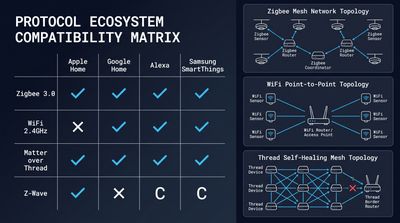
How to Integrate mmWave Presence Sensors With Home Assistant (Local Control Guide)
Step-by-step local control setup guide for mmWave devices, covering MQTT/Matter config, automation scripts, calibration and OEM ceiling presence sensor integration tips.
It supports the same product context: Ceiling Mount mmWave Human Presence Sensor — WiFi, Ceiling Mount mmWave Human Presence Sensor — Zigbee, Wall Mount mmWave Human Presence Sensor.
Specify your hotel project with our engineers
Send your room count, ceiling type, and protocol preference. We will return a sample plan and quote within 24 business hours.
- Move from general guidance into a product or application discussion.
- Use RFQ when pricing, drawings, MOQ, or launch timing needs structure.
- Keep a direct contact path visible for fast clarifications and handoff.